The multi-touch capacitive touch interface is so inherently crucial to the entire iPhone, iPad, and Apple Watch experience that it was one of the key parts of the keynote.
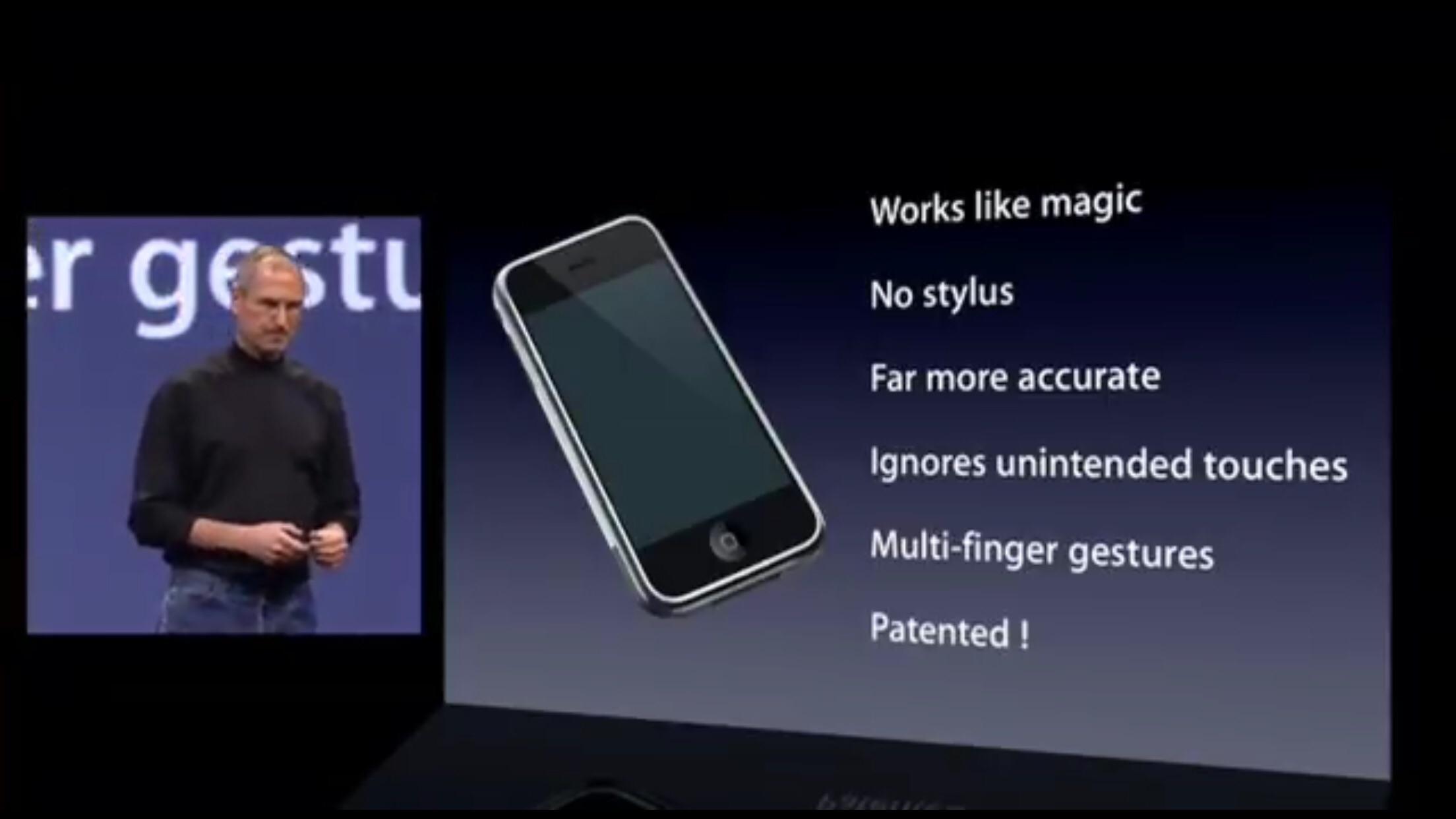
Fast-forward nearly 20 years and SwiftUI is the preferred way to build interfaces on iOS devices but, despite being nearly 7 years old, we are not to a point where we can accomplish the same level of capability that was released in iPhoneOS 3.2 way back in 2010.
In this entry, I’ll be talking about the difference between UIKit’s UIGestureRecognizer and concrete subclasses, SwiftUI’s Gesture, and the bridge between with UIGestureRecognizerRepresentable. At the end, I’ll introduce a Swift Package Manager library and sample app that I wrote to help bridge the gap.
UIGestureRecognizer
Before iPhoneOS 3.2, developers had to manually keep track of the state of touches by utilizing the functions on UIView around touches began, moved, ended, and cancelled. As a result, Apple introduced UIGestureRecognizer with concrete subclasses for specific, common behaviors: tapping, panning, swiping, rotation, etc…. These were absolutely a godsend given the load of keeping track of state, doing associated math, and reusing the code was a nightmare.
As a high overview, the gestures follow a typical target/action pattern but also have delegation in the mix for whether to a gesture should begin, which gestures to block or interact with, and if the gesture should receive a touch. Additionally, when the action is triggered, you are passed the gesture which contains its current location as well as the state such as possible, started, changed, ended, cancelled, and failed.
As someone who has utilized the code multiple times in various ways, it is one of my favorite APIs in that it works consistently, is easy to understand, and abstracts the right amount of complexity away from the day-to-day development cycle. Plus, if you want to drop down to a more complex use-case, you can make your own UIGestureRecognizer subclass or fall back to touches began, changed, ended, or failed.
SwiftUI Gesture
As with some SwiftUI views (ScrollView comes to mind), there is definitely a subset of functionality within SwiftUI’s gestures when compared to UIKit’s.
Let’s take a look at DragGesture. It’s counterpart in UIKit is UIPanGestureRecognizer. Because DragGesture in continuous, it has a .onChanged and .onEnded modifier but even right there, we see a limitation: what about .onBegan? Additionally, velocity and the ability to set more than one touch is missing.
It is true that there is shared functionality like ability to set a gesture simultaneously and getting the touch’s location and translation within a view.
Regardless, there are gaps and this means that when converting a UIKit app to SwiftUI, you’re going to run into these.
UIGestureRecognizerRepresentable
If you were a 4 trillion dollar company, what would you do? Pour resources into making your new technology at feature parity with your old technology? How about you add a bridge!
That’s what UIGestureRecognizerRepresentable is. Just like UIViewRepresentable and UIViewControllerRepresentable, this is a bridge that allows you to interop UIKit code with SwiftUI. Just like the aforementioned representables, UIGestureRecognizerRepresentable has a few specific methods to manage the lifecycle of the UIKit gesture within a SwiftUI view:
makeUIGestureRecognizer(context:):; where you instantiate your gesture (e.g., a UIPanGestureRecognizer).updateUIGestureRecognizer(_:context:):; when the SwiftUI state changes, you need to sync properties, like number of touches, from your SwiftUI view to the UIKit gesture.Coordinator: You can optionally use a coordinator to handle delegation or other target-action events
You can read more in the docs here.
I am not going to write exactly how this is used (you’ll see why in a moment) but here is a good overview by Swift With Majid.
This is way better than what people were doing which is using UIViewRepresentable, attaching UIKit gestures to that and overlaying the representable view over a SwiftUI view.
There’s Always a Catch
When usings these bridged UIKit gestures, it is as easy as using func gesture(_ representable: some UIGestureRecognizerRepresentable) -> some View modifier but you’ll notice that the argument isn’t Gesture but UIGestureRecognizerRepresentable.
The catch is that you can’t use func simultaneousGesture<T>(_ gesture: T, including mask: GestureMask = .all) -> some View where T : Gesture because T isn’t Gesture. Same for func simultaneousGesture<T>(T, including: GestureMask) -> some View and anything else mentioned in this article about composing gestures.
You could possibly use the UIGestureRecognizerDelegate method of func gestureRecognizer(UIGestureRecognizer, shouldRecognizeSimultaneouslyWith: UIGestureRecognizer) -> Bool
but when you do, you get this unhelpful type:
<SwiftUI.UIKitResponderGestureRecognizer: 0x10560bb00; id = 95; baseClass = UIGestureRecognizer; state = Possible; delaysTouchesEnded = NO; view = <_TtCGC7SwiftUI32NavigationStackHostingControllerVS_7AnyView_P10$1dadfd8f011HostingView: 0x105605940>; target= <(action=flushActions, target=<SwiftUI.UIKitResponderEventBindingBridge 0x600000cb34b0>)>>
So, you just have to use the modifier you get and hope for the best which is not ideal but it’s better than nothing!
UIKitGesturesForSwiftUI
While I explore this at my J.O.B., I thought that perhaps there could be a library that is a wrapper for each UIGestureRecognizer subclass so that you don’t have to write all of that boilerplate yourself and so that’s what I did. You can find a Swift Package Manager package here.
I also wrote a companion app which utilizes the library that you can find here.
I’d love it if you’d check it out and, if you have any feedback, let me know on Mastodon here.